Getting Started
pikpaktui is a terminal client for PikPak cloud storage — an interactive TUI plus a full CLI with 28 subcommands. Pure Rust, no OpenSSL, no C deps.
If you don't have it yet, head to install first. This
page assumes pikpaktui is on your $PATH.
First Launch — TUI
Run with no arguments to open the interactive TUI:
pikpaktuiOn first run, a login form appears. Enter your PikPak email and password.
Credentials are saved to ~/.config/pikpaktui/login.toml and the session
to ~/.config/pikpaktui/session.json.
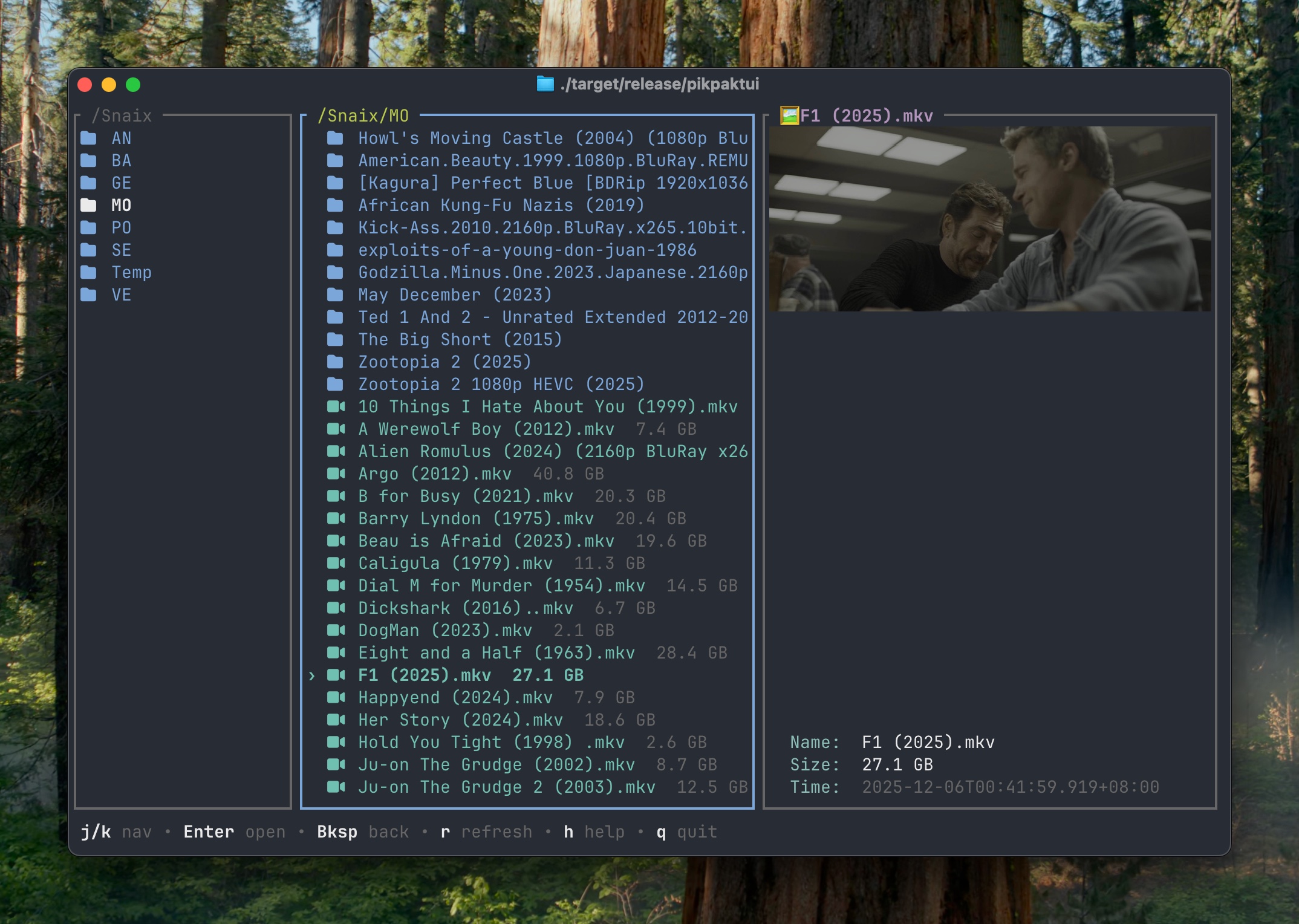
See the TUI Guide for the full keybinding reference.
CLI Quick Start
# List
pikpaktui ls /
pikpaktui ls -l "/My Pack"          # long format
pikpaktui ls --tree --depth=2 /     # recursive tree

# File ops
pikpaktui mv "/My Pack/file.txt" /Archive
pikpaktui cp "/My Pack/video.mp4" /Backup
pikpaktui rename "/My Pack/old.txt" new.txt
pikpaktui rm "/My Pack/file.txt"            # to trash
pikpaktui rm -rf "/My Pack/old-folder"      # permanent

# Transfer
pikpaktui download "/My Pack/video.mp4"
pikpaktui download -j 4 "/My Pack/Movies"   # concurrent files within a folder
pikpaktui upload ./notes.txt "/My Pack"

# Offline
pikpaktui offline "magnet:?xt=urn:btih:..."
pikpaktui offline --to "/Downloads" "https://example.com/file.zip"Next Steps
- TUI Guide — every keybinding for every view
- Configuration — colors, fonts, player, behavior
- CLI Commands — full reference for all 28 subcommands
- Shell Completions — tab-complete cloud paths